Menu
Menu
Your Cart

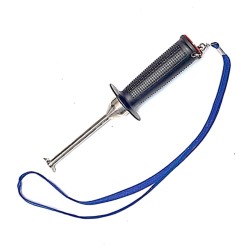
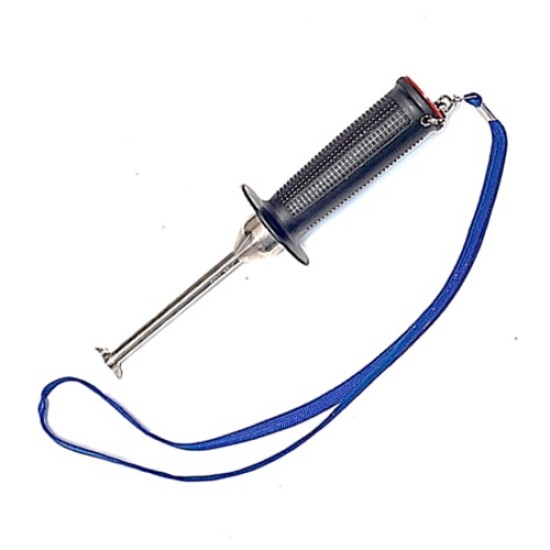
VEEM Interceptor Strip

VEEM Interceptor Strip





  • Stock: In Stock
  • Model: VMSTRIP
  • Weight: 0.25
  • MPN: VMSTRIP
150 samples sold
18 views
$19.56
Available Options

VEEM Interceptor Propellers have the colored insert strips in the outer half of the groove and white strips in the inner half.

Interceptor Strips are sold as one (1) each.


Propeller Diameter Range:

  • Small 5.90” - (Up to 32″ Propellers)
  • Medium 7.87” - (32″ – 42″ Propellers)
  • Large 9.84” - (42″ – 54″ Propellers)
  • Extra Large 13.77” - (54″ – 68″ Propellers)

Interceptor Strip Height Range:

  • White - 0.0mm
  • Red - 0.5mm
  • Orange - 1.0mm
  • Yellow - 1.5mm
  • Green - 2.0mm
  • Blue - 2.5mm
  • Grey - 3.0mm

Interceptor Strip Length Range:

  • Small - 5.90"
  • Medium - 7.87"
  • Large - 9.84"
  • Extra Large - 13.77"

VEEM Interceptor™ technology has revolutionized the propeller industry by enabling the relative pitch of each propeller blade to be altered in situ to enhance performance.

To remove or install your Interceptor™ strips, use the guide below:

  1. Strips are removed by sliding them toward the hub.
  2. Cut the new strips so they are 1 inch less than the length of the groove in the propeller.
  3. Ensure that the grooves are clean. (Important)
  4. Insert Strips by sliding them in from the hub towards the tip.
  5. The color strip is inserted, pushing it all the way towards the tip.
  6. For removal a little heat may be applied to the underside of propellers blade to expand the metal.


Be the first to write a review for this product.

Write a review

Note: HTML is not translated!
Bad           Good

Unlimited Blocks, Tabs or Accordions with any HTML content can be assigned to any individual product or to certain groups of products, like entire categories, brands, products with specific options, attributes, price range, etc. You can indicate any criteria via the advanced product assignment mechanism and only those products matching your criteria will display the modules.

Also, any module can be selectively activated per device (desktop/tablet/phone), customer login status and other criteria. Imagine the possibilities. 

Modern and Trendy
Create the best layouts with the new Journal 3 page builder
30+ Modules
The best multi-purpose modules already built in
Built with Love
Tons of love has gone into Journal throughout the years